BC02-T Super Battery Cycler Dual Channel Cycling High Current Charge and Discharge Battery Cycle Meter for iPhone 11-15PM Repair
Couldn't load pickup availability


Description:
- The JCID BC02-T Battery Cycler stands out as a reliable, high-performance solution for technicians and repair specialists who demand precision, safety, and efficiency. Designed specifically for high-capacity lithium-ion batteries used in premium devices, this dual-channel cycle tool delivers consistent charge and discharge performance, making it a must-have in any advanced mobile repair setup.
- A battery cycler is an electronic device that automates the process of charging and discharging a battery in controlled cycles. It’s used to recalibrate battery management systems (BMS), restore capacity readings, and verify battery health after replacement. This is especially critical for devices like the 11-15 Pro Max, where the BMS tightly monitors battery behavior.
Key Features:
- Dual-Channel Cycling: Efficient parallel charging/discharging for faster results.
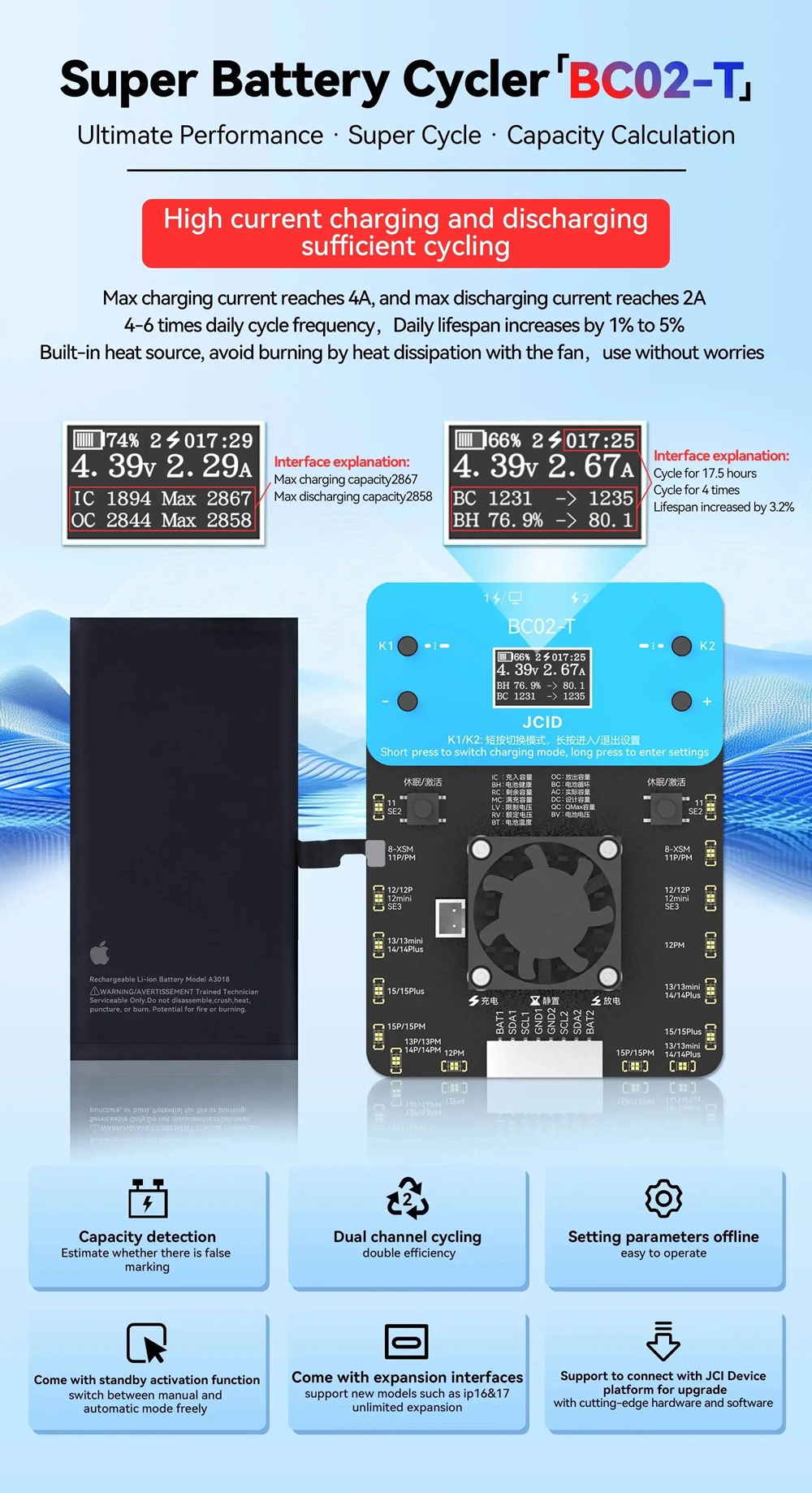
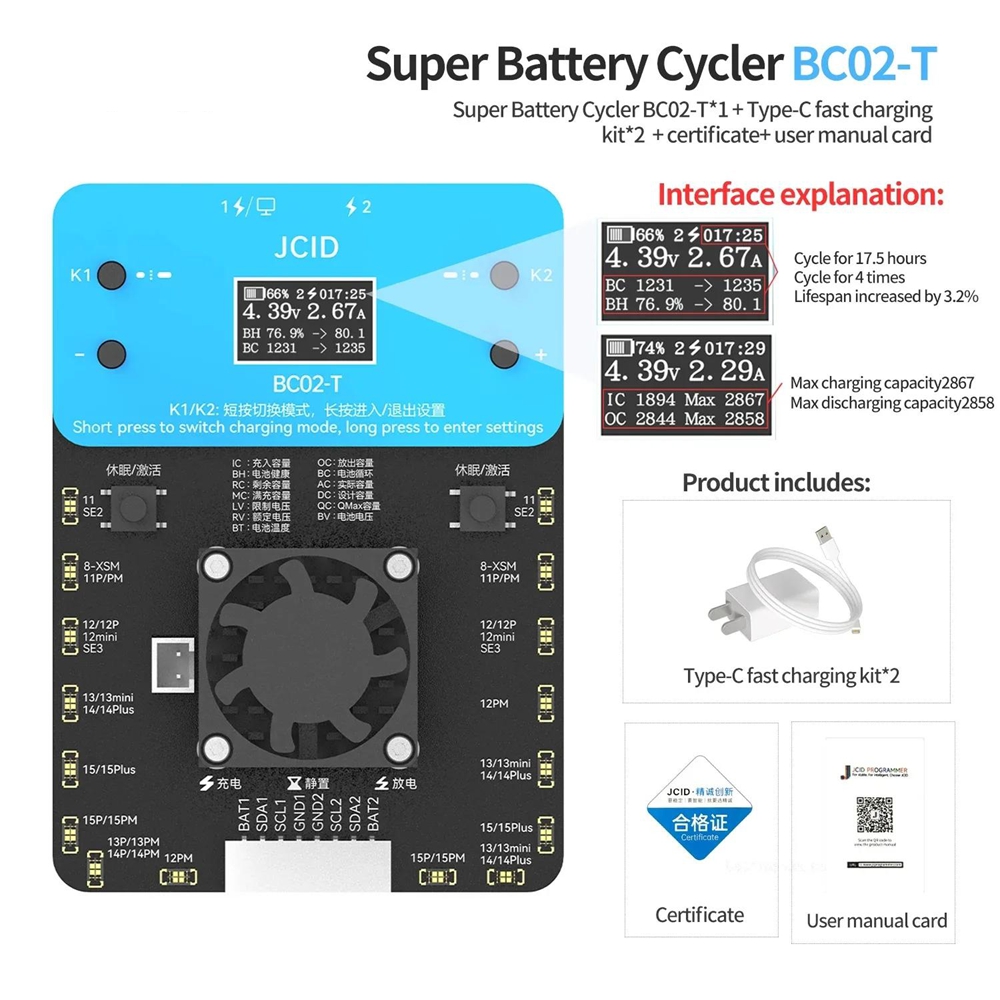
- Real-Time Data Display: LCD screen shows voltage (e.g., 4.39V), current (e.g., 2.67A), and capacity (74%→66%).
- Offline Parameter Setup: Customize charging modes (K1/K2 buttons) and activate standby mode.
- Smart Cooling Fan: Prevents overheating during intensive cycles.
- Wide Compatibility: Supports 8-XSM, 12/12P, 13/13mini, 14/14Plus, 15/15Plus batteries.
- JCI Platform Integration: Seamless sync with JCI Device Platform for advanced analytics.
Usage Scenarios:
- iOS device battery health testing
- Battery lifespan extension & maintenance
- Precision calibration for repair shops
How to Use the JCID BC02-T for Optimal Battery Calibration:
- Following a step-by-step process ensures the best results. Here’s how a professional repair technician recommends using the BC02 for iPhone 11-15 Pro Max batteries:
- Power off the iPhone and disconnect any external power sources.
- Remove the battery from the device and connect it to the JCID BC02-T using the provided high-quality battery clips (compatible with 8 15pm jcid battery connectors).
- Turn on the BC02-T and select the “Battery Calibration” mode from the menu.
- Set the cycle count to 3-5 cycles (recommended for Pro Max models) and confirm.
- Allow the device to complete the full charge and discharge cycle. The LCD screen will display real-time voltage, current, and cycle progress.
- Once complete, disconnect the battery and reinstall it into the mobile phone.
- Power on the device and let it run through a full charge cycle (0% to 100%) without interruption.
- After 2-3 hours of normal use, check the battery percentage accuracy in Settings.
- Users report that after following this process, battery percentage readings become accurate within 1-2% of actual capacity - far better than the 10-15% variance seen with uncalibrated batteries.
Specification:
- Input voltage: 100 - 240V AC, 50/60Hz
- Output voltage: 3V - 12V (adjustable)
- Maximum output current: 5A (per channel)
- Operating temperature: 0℃ to 40℃
- Product size: 180 x 120 x 50mm
- Net weight: 1.2kg
Package Included:
- 1 x Battery Cycler