


Upgraded High Performance SATA Network Adapter Board IDE to SATA Interface IDE Network Adaption for PS2
Dostupnost vyzvednutí nebylo možné načíst

Feature:
- Apply for 3W and 5W machine, support maximum 2T hard disk game
Installation:
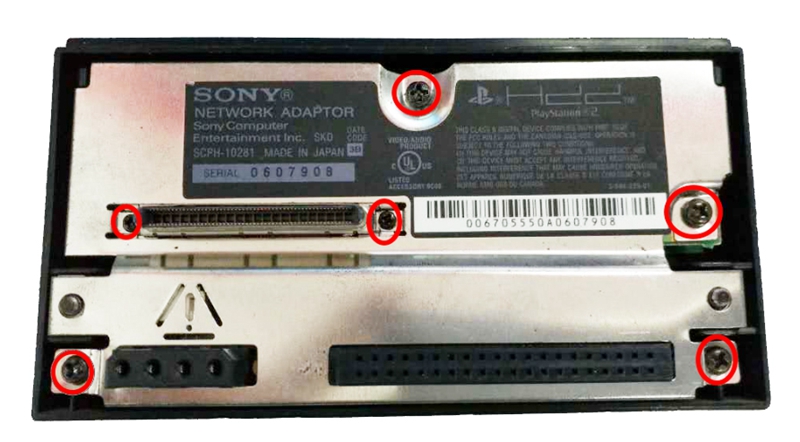
- Remove the cover from the network adapter first. The screws which need to be removed are highlighted below.
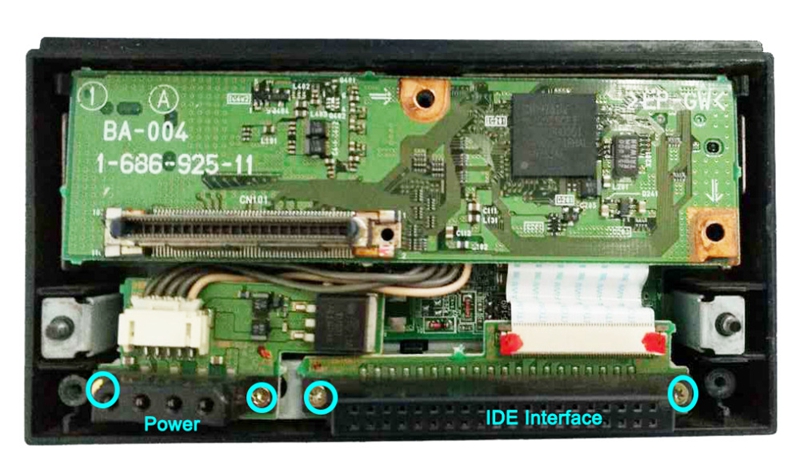
- Below is what the network adapter looks like with the cover removed. The screws holding the power and IDE connectors are Torx screws.
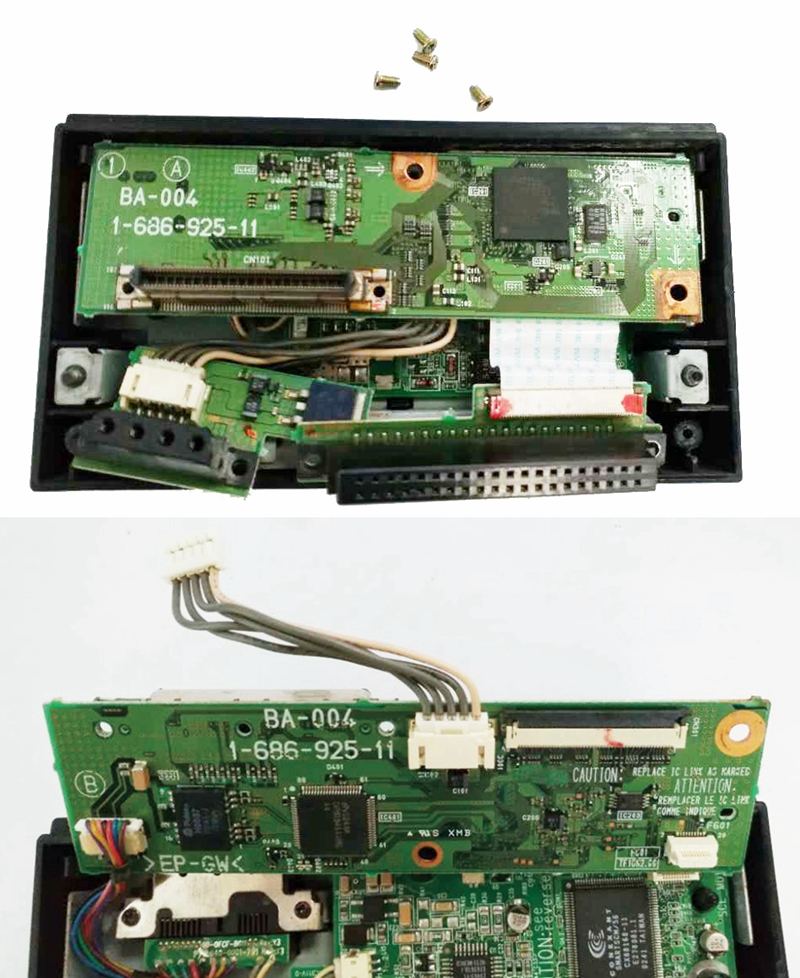
- After that, remove the IDE circuit board and the Power circuit board. Please be careful when you remove the FPS flat cable.
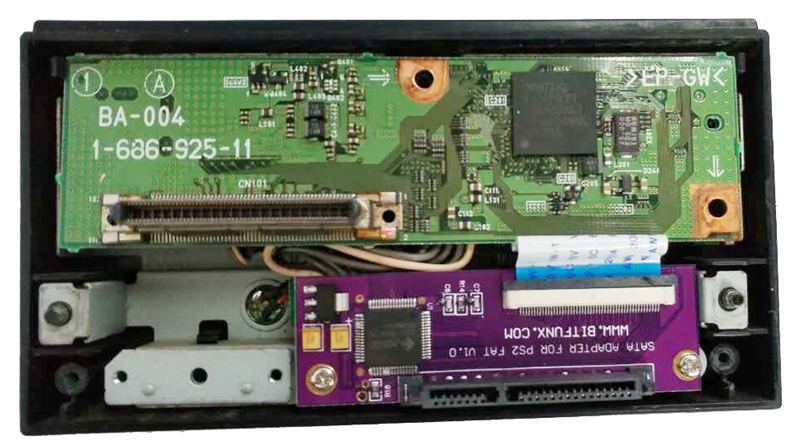
- Now it is time to install the SATA circuit board. We use for Bitfunx SATA board flat cable to connect the board for Sony network adapter.
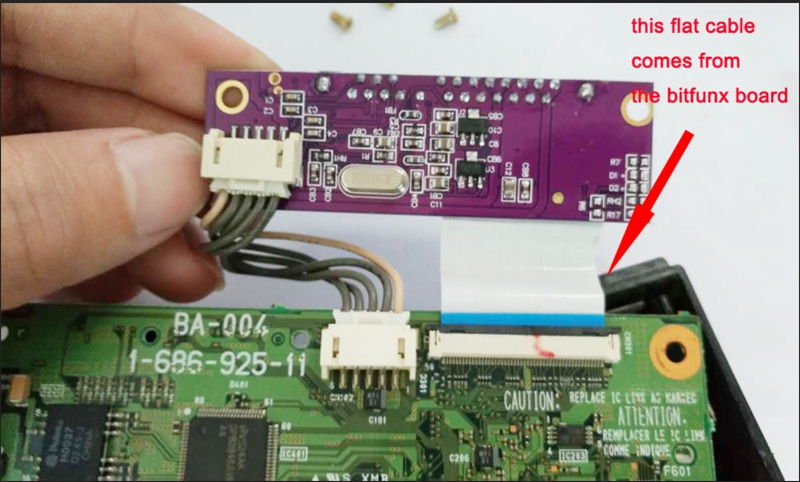
- Using the gasket and screws to make sure that the SATA board fixed stable and suit good connection to the SATA hard drivers.
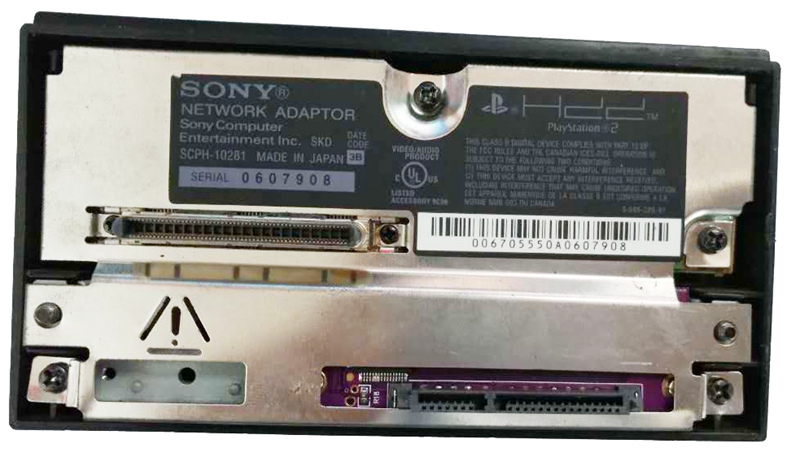
- Assemble the faceplate back and it is done.
Package Included:
- 1 x Adapter Board