Red SXP PC Racing Game Handbrake Video Games Accessory Compatible with SIMAGIC/MOZA/FANATEC
Impossible de charger la disponibilité du service de retrait

Key Features:
- Made of 304 stainless steel.
- Bearing rotation design.
- It can be directly connected to the base for FANATEC.
- Adjustable top bead strength.
- 3-row double slot base.
- Adjustable push-pull force.
- 200kg black sensor.
- You can change the grip you like.
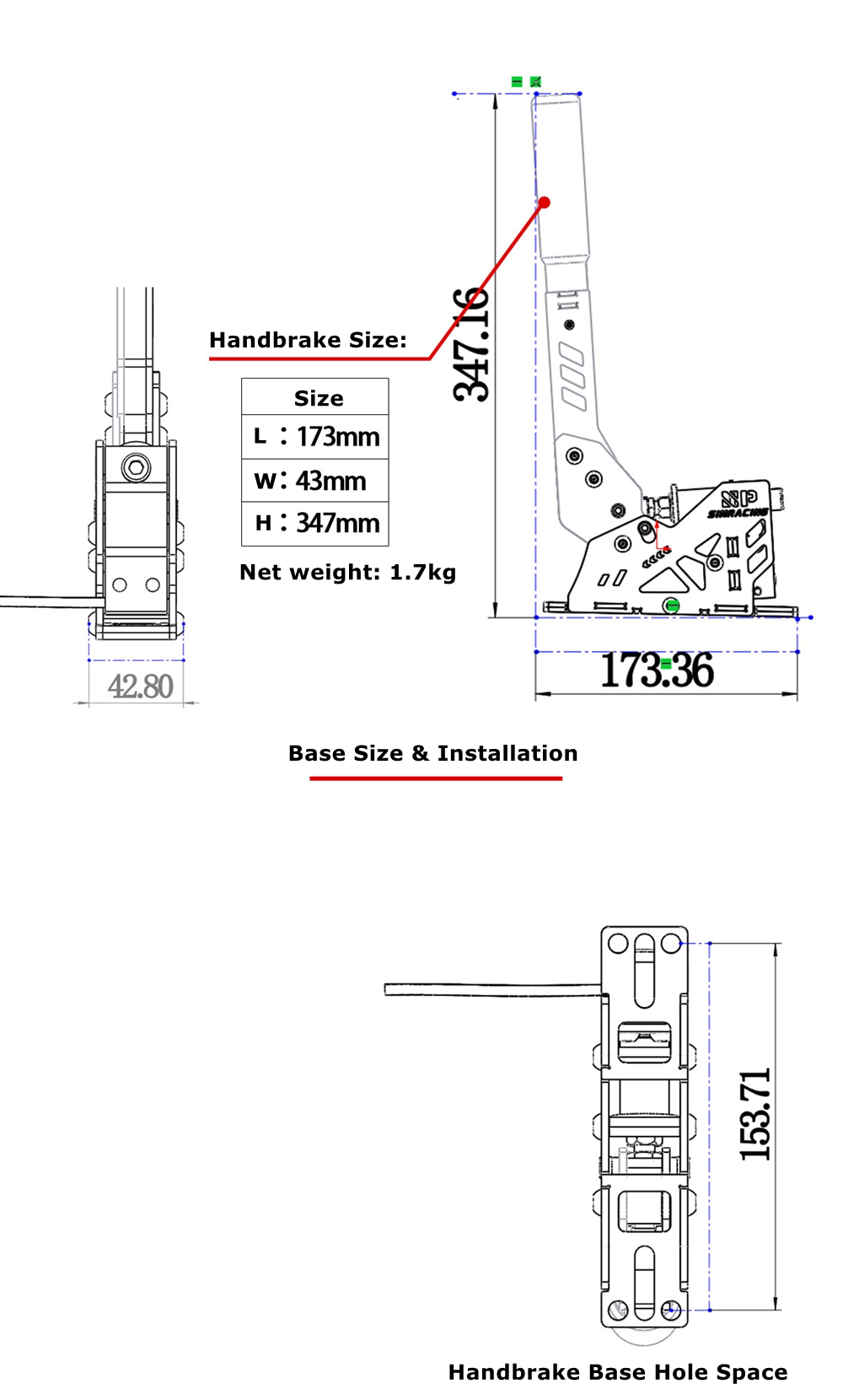
- Support vertical and horizontal installation methods.
- USB drive-free, plug and play.
- Note: This device control box is PC specific, and other platforms require direct connection to the base for FANATEC.
Package Included:
- 1 x Handbrake
Installation and Debugging:
- Tips: Due to the different installation methods and using environment, users need to prepare M8 hexagon socket head cap screws and nuts before installation.
- Installation Tutorial:
1. Unpack.
2. Remove the 4 screws and spring washers from the base of the handle.
3. The base of the handle is snapped into the main body and aligned with the 4 screw holes on both sides (If it is too difficult to stuff in, you can loosen one of the screws on both sides of the joint bearing. Remember to tighten the screw after installation).
4. Install the 4 screws and 4 spring washers that were removed before. Finally, tighten these accessories.
5. Install the fixed screw (the back): Put the screw that needs to be fixed in the back from the side first and tighten it.
6. Install the fixed screw (front): put the screw into the front notch to install and tighten.
7. Screw the handle of the handbrake, connect the aviation plug to the main control, connect the computer, map the axis, and you can enjoy games.
- Adjust dead zone of games: Use DiView to adjust the dead zone of the device.
- The strength bar in the game is not cleared and does not return to position:
1. You can use DiView to set the dead zone.
2. Remove the screw of the main control box, remove the cover, look at the white motherboard, find the blue cuboid potentiometer, and rotate the potentiometer clockwise with a flat screwdriver until the force bar returns to zero. Install the lid of the main control.