От Thanksbuyer Online,SDR Radio, Testers and Measurement devices, Astronomy products, Audio Amplifer and Decoders
GPS Speed Switch Controller Vehicle Speed Sensor GPS Speed Trigger Overspeed Alert Speed Control Device
Обычная цена
$23.56
Обычная цена
Цена со скидкой
$23.56
Цена за единицу
за
Сумма налога включена.
Стоимость доставки рассчитывается при оформлении заказа.
Не удалось загрузить сведения о доступности самовывоза
Availability:
В наличии: 2000
SKU:
105789

Обычная цена
$23.56
Обычная цена
Цена со скидкой
$23.56
1. Product Description:
This product is a GPS speed switch controller. Depending on the selected output mode, it can be used to control a switching circuit based on the set speed or to activate a buzzer for audible alerts.
Two function options are available:
* Continuous Low-Level Output: When the vehicle reaches the preset speed, the controller outputs a continuous low-level signal. This mode is generally used to control the ON/OFF operation of an optocoupler relay module.
* Intermittent Signal Output: When the vehicle reaches the preset speed, the controller outputs an intermittent signal. This mode is generally used to activate a buzzer that produces a beeping sound.
Attention:
* The buzzer version is not currently listed for sale due to limited demand. If you need this version, please contact the seller to place a custom order.
2. How to Use the Optocoupler Relay Module:
If you are unfamiliar with relay modules, please read the following instructions before use.
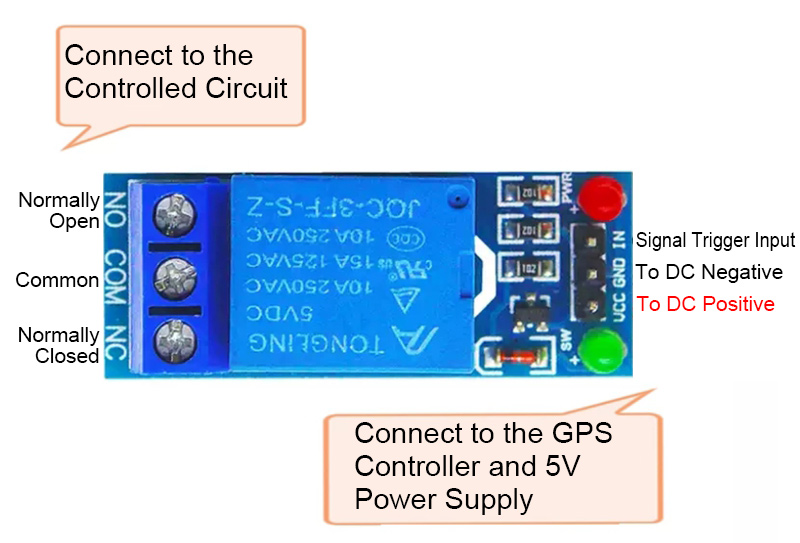
The controlled side of the optocoupler relay has three terminals:
* COM (Common): Common terminal
* NO (Normally Open): Normally open terminal
* NC (Normally Closed): Normally closed terminal
Connect the circuit you want to control to the relay's COM terminal. For example, this could be the positive power supply line of the device you want to control.
2.1 Using the NO (Normally Open) Terminal
* Default state: Disconnected from the COM terminal.
* When the vehicle speed exceeds the preset speed: The NO terminal connects to COM.
* When the vehicle speed drops below the preset speed: The NO terminal disconnects from COM again.
2.2 Using the NC (Normally Closed) Terminal
* Default state: Connected to the COM terminal.
* When the vehicle speed exceeds the preset speed: The NC terminal disconnects from COM.
* When the vehicle speed drops below the preset speed: The NC terminal reconnects to COM.
2.3 Voltage and Current Limits
* The voltage and current of the controlled circuit must not exceed 250V and 10A, respectively. For loads exceeding 10A, an additional high-current relay is required. Use the small relay to control one side of the high-current relay's coil.
3. Controller Wire Connections:
The controller has three wires:
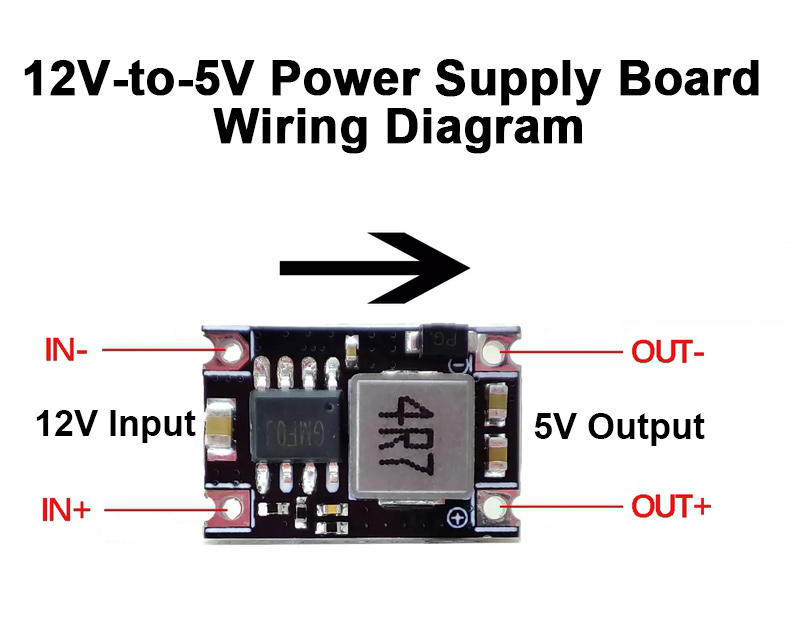
* Red wire: +5V power supply. If using a 12V power supply, add a voltage step-down converter to reduce the voltage to 5V.
* Black wire: Negative power supply (GND).
* Yellow wire: Trigger signal output. Connect it to the IN or S terminal of the relay module.
4. Speed Setting Instructions:
The K+S wires at the back of the display are used to set the trigger speed.
4.1. How to Set the Speed:
* Briefly touch the setting wire to the black negative wire (GND) to adjust the trigger speed. Alternatively, connect a momentary push-button switch between the setting wire and the black GND wire.
* Short press: Decrease the speed setting.
* Long press: Increase the speed setting.
* Adjustment range: 0-999
* Default setting before shipment: 120
* After completing the setup, insulate the exposed ends of the setting wires with electrical tape to prevent accidental contact or unintended adjustments.
Packing List:
* 1 x Set of GPS Speed Controller
Packaging Details:
* Package weight: 0.25kg
Important Notes:
1. Power Supply and Relay Compatibility
* Both the operating voltage and the control signal of this controller are 5V. If using a 12V power supply, an additional 12V-to-5V step-down converter is required.
* Please use a 5V optocoupler relay module. A 12V optocoupler relay module cannot be used as a 5V relay because the relay coil operating voltage and the control signal logic level are different. Using a 12V relay module will prevent the relay from operating properly.
2. GPS Satellite Reception and Speed Measurement
* GPS satellite signals are available outdoors. GPS positioning and speed measurement will not work properly indoors.
* Please take the device outdoors to an area with a clear, unobstructed view of the sky to search for and connect to GPS satellites. When starting from a cold start, it typically takes 1-2 minutes to acquire satellite signals. The clearer the sky, the faster the connection.
* The side of the GPS receiver with the three GPS markings must face upward toward the sky.
* The two dashes (--) on the front of the display indicate the satellite connection status:
• Flashing: Searching for and acquiring satellite signals.
• Steady: Satellite connection established.
3. Additional Features and Troubleshooting
Tip 1: Maximum Speed Recording
* The controller also features maximum speed recording. When the vehicle stops, the display shows the highest speed recorded. This feature can be used to measure maximum speed performance.
Tip 2: Speed Fluctuations While Stationary
* If the displayed speed fluctuates while the vehicle is stationary, the GPS signal may be weak or unstable. Nearby buildings, large trees, indoor locations, and metal-roofed structures can obstruct satellite signals and cause GPS positioning drift. Move to an open area with a clear view of the sky to acquire more satellite signals and improve positioning stability.
Tip 3: Differences Between GPS Speed and Vehicle Speedometer Readings
* Most vehicle speedometers display a speed slightly higher than the actual vehicle speed. Regulations generally prohibit speedometers from displaying a speed lower than the actual speed, so manufacturers typically calibrate them with a positive tolerance.
* Navigation apps such as Amap (Gaode Maps) may also display speeds that are a few kilometers per hour higher than the actual speed.
* This controller does not apply any speed adjustment or artificial offset. It displays the GPS-measured speed directly. Therefore, do not assume that the controller is under-reading simply because its displayed speed is lower than the vehicle's speedometer reading.
4. Display Housing and Cable Length
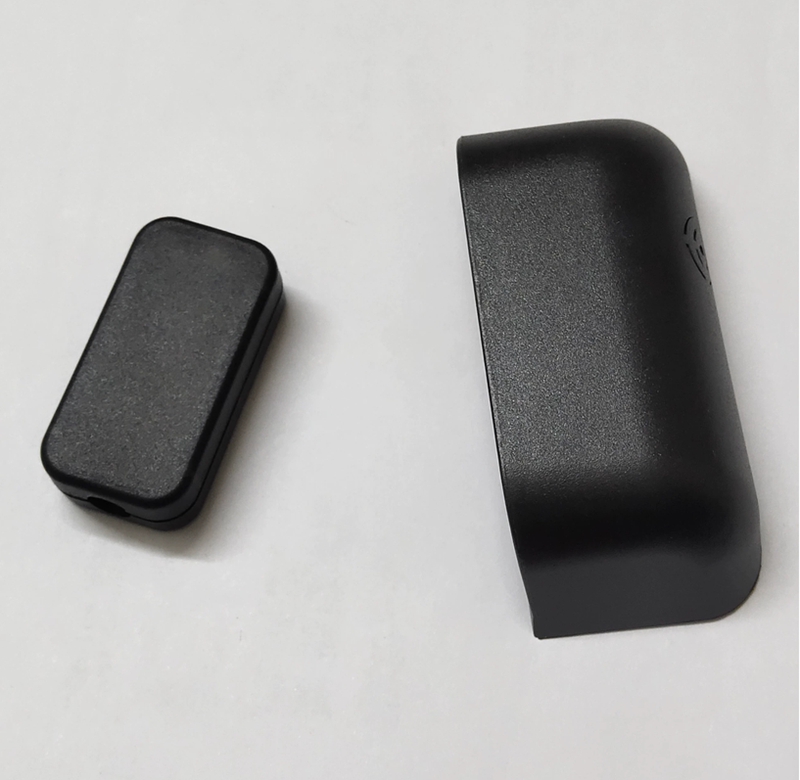
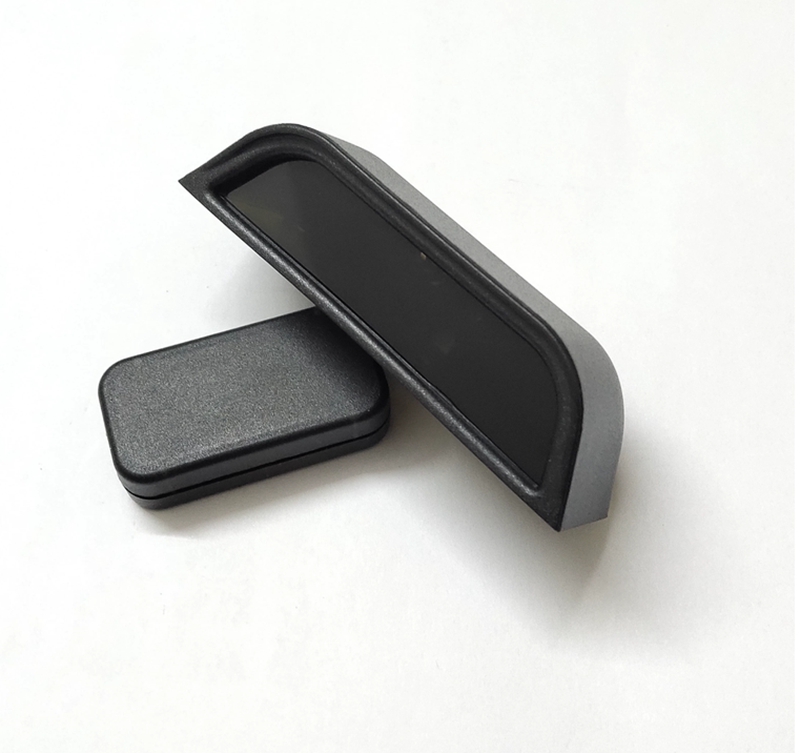
* Default Display Housing: A rectangular display housing (shown on the left in the product images) is included by default. If you prefer the dedicated housing shown on the right, please contact the seller before placing your order.
* Cable Length: The default cable length is 1 meter. If you require a different length, please contact the seller for a custom option or extend the cable yourself.